Convert Text to Uppercase Copy Paste
This free case converter tool helps you quickly change text style when you need clean and consistent formatting. Paste any sentence, paragraph, or long draft into the input area, then click the button to convert your text case in seconds. It is useful for students fixing headings, writers polishing articles, marketers preparing social captions, and developers formatting labels or sample content. If your text is mixed and inconsistent, a case conversion tool helps you standardize it before sharing or publishing. You can use it for notes, blog titles, email sections, and content drafts that need a cleaner visual style. Because this tool runs directly in your browser, it is fast, simple, and easy for everyday editing tasks. It removes manual work and helps you avoid repeated typing when changing text format. If you need a reliable online case converter to make your copy easier to read and reuse, this tool gives you a quick and clear output with one click.
Output
Your converted text will appear here.
What Is the Convert Text to Uppercase Copy Paste Tool?
Common Use Cases
Create Headings and Titles
Convert text into uppercase for stronger and more noticeable headings.
Social Media Posts
Make important announcements stand out on social media platforms.
Marketing Materials
Use uppercase text for banners, advertisements, and promotional content.
Academic and Professional Documents
Format section titles and important information consistently.
Data Formatting
Standardize text formatting in spreadsheets and databases.
Copy and Paste Workflows
Quickly transform text without manually retyping or editing every word.
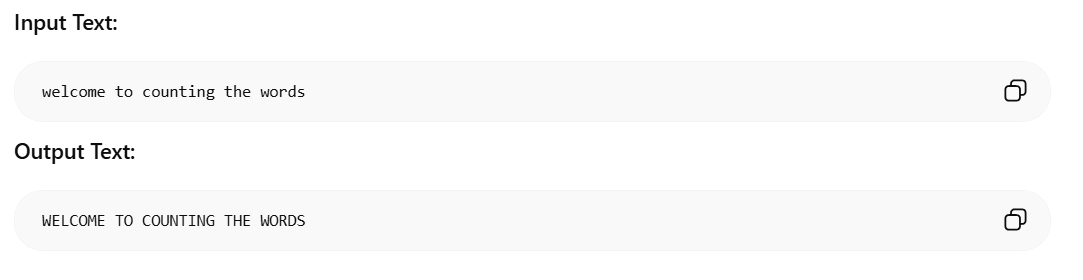
Examples
🔒 Privacy First
This tool runs entirely in your browser. Your text is never sent to any server.
How to Use Convert Text to Uppercase Copy Paste
- 1Paste or type your text into the input area above
- 2Click the action button to process your text
- 3Copy the result and use it anywhere
Why Use This Convert Text to Uppercase Copy Paste?
- ✓100% free with no hidden costs or subscriptions
- ✓No sign-up or account required
- ✓Your data stays private - processed only in your browser
- ✓Fast results with instant processing
- ✓Works on desktop, tablet, and mobile devices
Frequently Asked Questions
What does this case converter tool do?▼
It converts your input text to uppercase in one click for consistent formatting.
Will this tool change my words?▼
No. It changes letter case only and keeps your words, punctuation, and order exactly the same.
Can I use it for long paragraphs?▼
Yes. You can paste short or long text and convert it instantly.
Does the case converter store my text?▼
No. This tool runs entirely in your browser. Your text is never sent to any server or stored anywhere.
Is this case converter free?▼
Yes, it is completely free to use with no registration or sign-up required.
Related Tools
Speech Time Calculator
Paste a speech script to see how long it takes to deliver at slow, normal, or fast pace.
Counting The Words Online and Free
Count words, characters, lines, and reading time instantly.
Microsoft Copilot Prompt Generator
Generate structured, optimized prompts for Word, Excel, Outlook, and PowerPoint.